
Oct 6, 2025
12 mins

I built my newsletter with two things: my voice and a repeatable system. The system runs on AI. The voice stays mine.
This edition walks you through the exact workflow I use to turn raw experience into a finished edition that reads like me and ships on time. You can copy it. You can adapt it. You can hand it to a team member tomorrow.
It is simple by design.
Each step earns its place.
Each prompt turns context into clarity.
By the end, you will have a living workspace that holds your research, your past hits, and your creative rules. You will draft faster without sounding generic. You will publish more without losing edge.
Let’s build it.
Step 1: Feed AI Your Story
Almost everyone has an online footprint.
But AI won’t find it unless you hand it the map.
The first step is a ChatGPT Deep Research report.
I upload two things to ChatGPT:
My LinkedIn profile (so it knows who I am).
A brief description of the information I need.
Then I run this simple prompt:
“Conduct a deep research report on Charlie Hills, AI content creator, primarily on LinkedIn. I’ll attach his LinkedIn profile so you can ensure we’re finding information about the right person.”
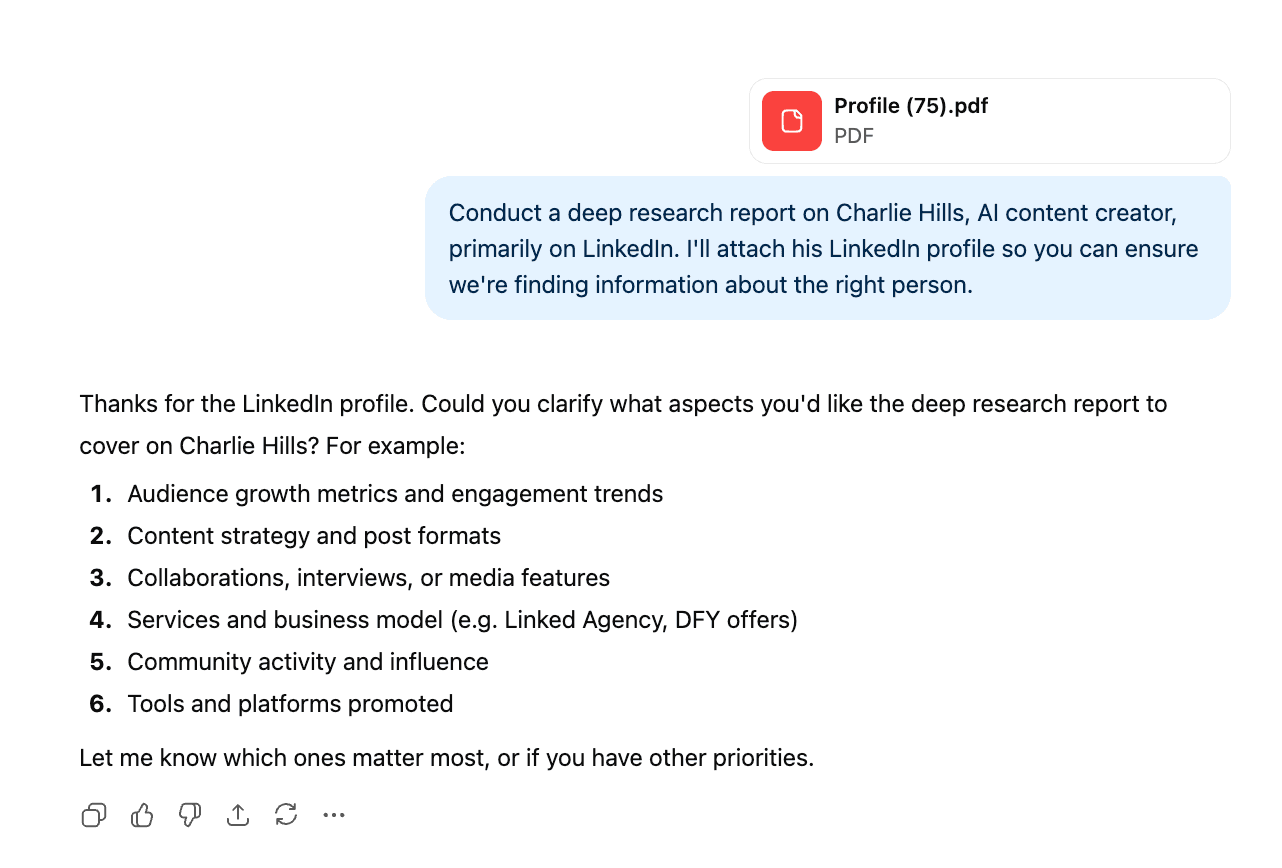
Then paste this follow-up prompt inside the same Deep Research thread to force the personal layer:
“All of the above. Plus, I’m after everything about him personally, so that I can use this information to write newsletters for him. I want a deep dive on everything that he’s ever mentioned online.
Here’s what I’m after:
Background Story
1. What inspired you to start what you’re doing now?
2. What experiences or lessons shaped your current approach?
3. What challenges or turning points defined your path?Achievements
1. What milestones or results are you most proud of?
2. What do these achievements reveal about your strengths or values?
3. How have your accomplishments made an impact on others or your work?Future Goals and Mission
1. What are you working toward right now?
2. What does success look like for you in the next few years?
3. Why is this mission important to you personally?”
The model builds a contextual map of me - my background, my achievements, my future goals, and my values. This file becomes the anchor for everything I create.
If you skip this step, AI defaults to generic.
It writes like it’s guessing.
When you give it context, it writes like it’s remembering.

If the Deep Research report ever feels shallow, write it manually.
Answer it yourself in a one-page doc titled “YourName Story” and save it.
You can make a duplicate of my template here.
A one-page story of who you are and why you write is often richer than a thousand scraped lines.
That is the step. You always paste the follow-up prompt into Deep Research. If the report is light, you write the answers manually.
Step 2: Reverse Engineer Your Greatest Hits
Note: If you chose to add the sample data, a new detail page called /blog will be added to your website, and you will find the stack of content added into the page for you.
The detail page will display content pulled from the first entry of the collection by default. In order to preview other items in the collection, change the content by selecting a different item from the dropdown menu.

This is 4th title
If you wish to add a page instead that will automatically be populated with data from the CMS, navigate to the left panel. One you are in the Pages tab, click on the + button next to the CMS section. If you add the Index page, a page will be added with a list of all of the items in your collection. If you add the Detail page, you will be presented with a page with content from your individual items.
Finally Last one
If you wish to add a page instead that will automatically be populated with data from the CMS, navigate to the left panel. One you are in the Pages tab, click on the + button next to the CMS section. If you add the Index page, a page will be added with a list of all of the items in your collection. If you add the Detail page, you will be presented with a page with content from your individual items.
Note: If you chose to add the sample data, a new detail page called /blog will be added to your website, and you will find the stack of content added into the page for you.
The detail page will display content pulled from the first entry of the collection by default. In order to preview other items in the collection, change the content by selecting a different item from the dropdown menu.